


Video Downloader Proxy Browser
4.1249.00 Reviews
App Specs
- Version
- 9.1
- Updated On
- License
- Free
- Downloads
- 10,000,000+
- Developer
- Secure Web Browser
- Categories
- Video Players & Editors
- Platform
- Android, iOS
Screenshots
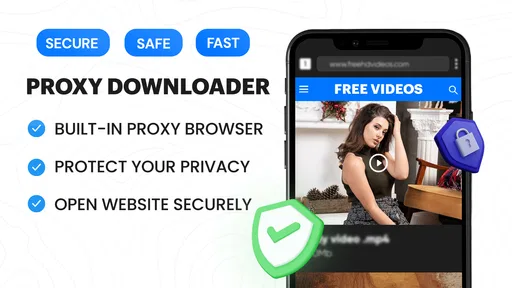
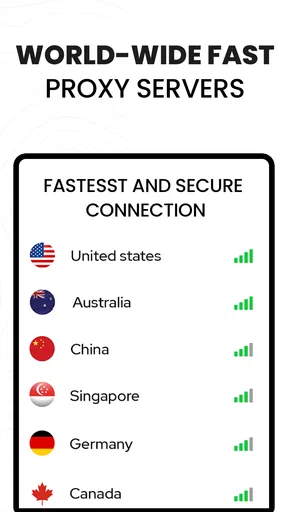

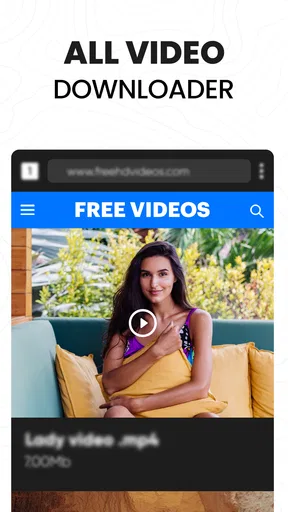
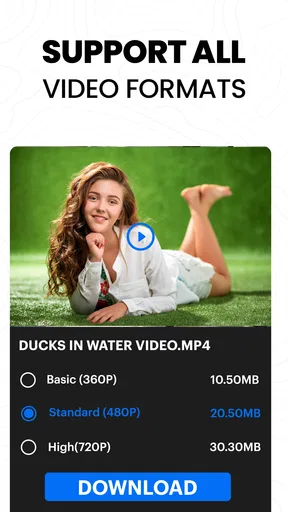
 Analysis by AppCompare
I tend to judge a video downloader less by its feature list than by whether it fits into an ordinary day: can I find a clip, save it without fuss, and return to it later? Video Downloader: Browser Home is built around that simple loop, pairing a web browser with video saving and playback in one app. That makes it most appealing when I want a handy place for videos I’m allowed to keep, rather than another general-purpose media library.
What to expect when you start a download
A browser-based downloader can feel quicker than copying a link from one app, switching to another, and pasting it into a separate tool. Here, searching and browsing happen inside the app, so the main convenience is fewer steps. The actual time a video takes to save still depends on the connection, the source and the file size; I wouldn’t treat any downloader as a way to make a slow connection fast.
The practical habit I’d use is to open the video in the built-in browser first, check that it is the right clip, then start the save and leave that page alone if the site is temperamental. Multiple tabs are useful for comparing a couple of sources, but keeping many pages open while a large download is underway can make the task feel less tidy. A focused session is usually easier to manage than treating the browser like a full desktop workspace.
It is also worth setting expectations about quality. A saved copy can only be as good as the version offered by the source, and not every page makes every format or resolution available. If a particular clip matters, I’d check playback in the app before relying on it for a trip or presentation. That small check is more useful than assuming that “HD” will always be offered.
Busy sessions, tabs and download management
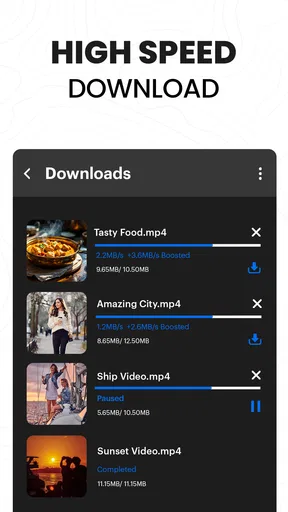
The app’s download manager is most useful when I have a few items to handle rather than one quick save. Being able to pause, resume or cancel gives some control if I need to switch tasks or rethink a download. I’d still avoid starting several large files when storage is nearly full: even a stable connection cannot solve a lack of room on the device, and a crowded queue makes it harder to see what is complete.
For a realistic example, imagine finding a set of cooking demonstrations while planning meals for a week with unreliable internet access. I could use separate tabs to locate the clips, save only the ones I expect to watch, and then use the built-in player to check each file before heading out. That workflow is more dependable than collecting every promising video and discovering later that I saved duplicates or the wrong version.
Background downloading can help when I want to keep browsing, but I would not assume it will behave identically on every phone. Operating-system power controls, a weak connection or a browser page that changes can interrupt a task. If a download stalls, I’d first check the connection and available storage, then use the manager’s pause-and-resume controls where appropriate instead of repeatedly launching the same file. This is a small routine, but it can prevent confusion about whether a copy is still in progress.
Worth Reading Before You Choose

EA SPORTS FC Mobile 26 Is a Bigger Football Game, but It Takes Time

Flipboard Shows What News Apps Must Do Beyond the Feed

Switching to Android Auto Means Rethinking Your Driving Routine

Google Calendar Makes a Crowded Week Easier to Manage

Ludo King Makes the Most of the Minutes Between Plans

Baby Panda World Brings Quick Play to Modern Phones, but Its Game Library Feels Busy
Where this approach is useful—and where it is not
This setup suits people who regularly browse for videos and want saving and playback close together. It can be convenient for keeping permitted tutorials, reference clips or personal material available for later viewing. It is less compelling if most of your videos already live in a streaming service with its own offline option, since that service may handle access and playback more directly. It is also not a substitute for a cloud backup: a file kept on one device is not automatically protected if that device is lost or damaged.
Compared with a standalone downloader that asks you to paste links, the built-in browser can reduce app switching and make discovery feel more natural. Compared with a standard mobile browser, the integrated player and download management put more emphasis on keeping saved clips together. The trade-off is that a dedicated downloader depends on the sites and video sources it can work with; it should not be assumed to save every embedded player or protected stream. When a site offers an official download button, I’d use that first.
I’d also keep copyright and permission in mind. Saving a video for personal convenience does not grant the right to redistribute it, and some content is intentionally restricted from downloading. The sensible use is to save material you own, have permission to keep, or are otherwise allowed to download. If your main goal is managing a personal collection of films, a media library app designed for organizing and syncing files may be a better fit.
Features that Stand Out
The first thing you'll notice about Video Downloader: Browser Home is its simplicity and ease of use. The app integrates seamlessly with your device's browsing experience, making downloading videos as straightforward as browsing the internet. You don't need to be tech-savvy to navigate this app, which is a huge plus in my book.
One feature I absolutely love is the built-in browser. You can search for your favorite videos directly within the app, which means you don't have to switch between multiple apps to find and download content. It’s like having a mini-internet right at your fingertips. The browser supports multiple tabs as well, so you can multitask like a pro.
Download Speed and Quality
Let's talk about download speed because nobody has time to wait forever for a video to save. The app offers impressive download speeds, and I’ve noticed it manages to maintain the quality of the videos remarkably well. Whether you're downloading in HD or SD, the quality remains crisp and clear, which is perfect for those of us who are sticklers for detail.
The app supports a wide range of video formats, ensuring compatibility across different devices and media players. You won't find yourself struggling to play your downloaded content, which is often a problem with other downloaders.
User-Friendly Interface
Now, let's chat about the interface. The design is clean and intuitive, making it super easy to navigate. Everything you need is right there on the screen, and the controls are self-explanatory. You can customize your download settings, manage your files, and adjust your preferences all in one place.
One of my favorite parts is the download manager. It keeps all your downloads organized and easy to access. You can pause, resume, or cancel downloads with just a tap, and if you're like me and often forget where you saved something, the app keeps a tidy library for you.
Security and Privacy
In today's world, security and privacy are paramount, and this app takes that seriously. The app doesn’t require any unnecessary permissions, which is a huge relief. You can download content without worrying about your data being compromised. Plus, there’s an option to lock the app with a password, adding an extra layer of security to your downloaded content.
I also appreciate the app's ad-free experience. You can focus on downloading content without being bombarded with annoying ads, which is a rarity these days.
Additional Perks
If you're someone who likes to stay organized, you'll appreciate the app's ability to categorize your downloads. You can sort your videos into folders, making it easier to find what you need later. The app also supports background downloading, meaning you can continue browsing while your videos are being saved.
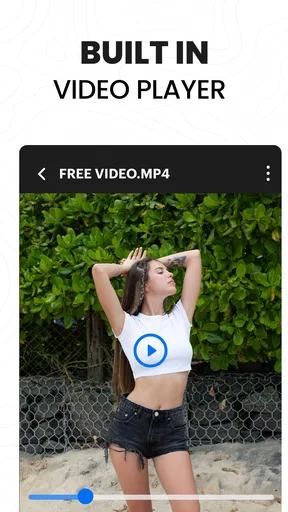
Another nifty feature is the built-in video player. You can watch your downloads directly within the app, which is perfect for quick previews or when you want to watch something without navigating away from the app.
Who should install it, and what it costs
The app is free to install, with optional in-app purchases listed from $1.99 to $15.99 per item. I’d start with the free version and see whether its browser-and-library workflow fits before paying for anything. Its Everyone age rating makes it broadly suitable from a content-rating standpoint, though parents should still consider what a child can browse and save on the open web.
It is published by Video Downloader App Developer and sits in the video-player and editing category. The app has a 4.3 average from 24K ratings, with 222 written reviews, and has passed 10M installs. Those figures suggest a well-used tool, but they don’t tell me whether a particular website will work smoothly on my device, so I’d judge it by the sources I actually use.
The current version is 7.3, and the stated minimum operating-system requirement is 8.0. Before installing, I’d check the OS version on an older phone rather than assume that a device which can browse the web can also run this app. A device close to its storage limit is another reason to pause: video files can consume space quickly, so selective saving and regular cleanup matter more than keeping a large backlog.
Practical checks before relying on it
One useful approach is to test the complete routine with a short, permitted clip: find it in the browser, save it, locate it in the library and play it back. That reveals whether the source works and whether the app’s organization suits you without committing time to a long file. If the video is for a flight, lesson or other moment when the connection will be unavailable, verify the saved copy before leaving, and avoid deleting the source file until you know the in-app one plays as expected.
For storage management, I’d treat the library as a working shelf rather than permanent archiving. Folder categories can make a collection easier to browse, but folders alone do not protect files from device failure or free up space. Once a clip is no longer useful, removing it is a straightforward way to prevent old downloads from quietly crowding out photos and other apps. If you need long-term preservation, keep a separate copy using a backup method you trust.
There are also cases where I would choose another tool. If I only need occasional offline access to a show, the official streaming app is generally the cleaner route because it keeps playback within the service’s own rules. If I need to edit clips, add titles or assemble footage, a video editor is the more suitable category of app; this downloader’s core job is collecting and playing saved videos, not producing finished content. And if a particular website blocks saving, repeatedly trying different routes is unlikely to be worth the time.
For everyday performance, I’d describe the app’s strongest point as reducing steps, not guaranteeing a particular transfer speed. A built-in browser, manager and player can make a short task feel direct, while a crowded tab session or an unreliable source can still create friction. I’d keep downloads purposeful, use the pause and resume controls when a task needs attention, and check the finished file before counting on it. That is a more realistic way to judge reliability than expecting every web video to behave the same way.
Overall, Video Downloader: Browser Home is a solid choice for anyone looking to efficiently download and manage videos on their device. It combines speed, simplicity, and security in a neat package, making it a valuable tool for everyday use. Whether you're downloading videos for offline viewing or archiving content you love, this app has got you covered.
Pros
- Quick downloads with fast processing.
- Supports multiple video formats.
- Easy-to-use interface for all users.
- Background downloading available.
- Built-in browser for seamless navigation.
Cons
- Limited support for certain websites.
- Ads can be intrusive at times.
- No option for playlist downloads.
- Lacks advanced editing features.
- Premium features behind a paywall.
FAQs for Video Downloader Proxy Browser
What is Video Downloader: Browser Home?
Video Downloader: Browser Home is a versatile application designed to help users download videos directly from various websites. It integrates seamlessly with your device's browser, allowing you to save content for offline viewing. The app supports multiple formats, ensuring compatibility with different media players.
Is Video Downloader: Browser Home free to use?
Yes, Video Downloader: Browser Home offers a free version with essential features. However, it may include ads. For an ad-free experience and additional functionalities, there is a premium version available. This paid option typically provides enhanced download speeds and more advanced features.
Which platforms and devices support Video Downloader: Browser Home?
Video Downloader: Browser Home is compatible with both Android and iOS devices. Its user-friendly interface is optimized for smartphones and tablets, ensuring a smooth experience across different screen sizes. Make sure your operating system is up-to-date for optimal performance.
Can I download videos from all websites using Video Downloader: Browser Home?
While Video Downloader: Browser Home supports a wide range of websites, it may not work with all platforms, particularly those with strict content protection policies. Always ensure that downloading content complies with the terms of service of the website and respects copyright laws.
Is it safe to use Video Downloader: Browser Home?
Video Downloader: Browser Home is designed with safety in mind, featuring secure download options and regular updates to protect against vulnerabilities. Users should download the app from official app stores only to avoid risks associated with unofficial versions, such as malware or data breaches.


